
-
you are in Personal Banking

General
UOB ExploreGeneralFor Individual
Privilege BankingFor Business
WHOLESALE BANKINGAbout UOB
UOB GroupUOB Vietnam

How can I check my Credit Card transactions?
On UOB TMRW Vietnam app:
|
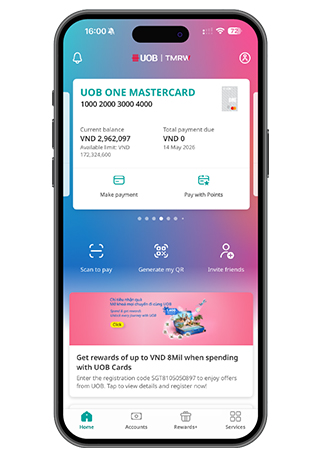
Log in to UOB TMRW Vietnam and tap the "Accounts"
Log in to UOB TMRW Vietnam and tap the "Accounts"
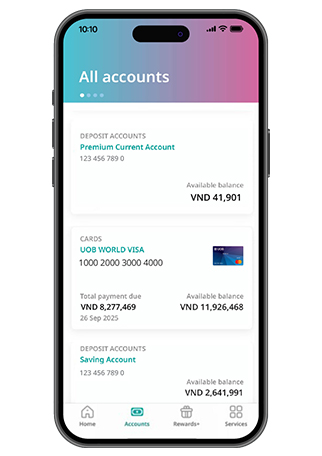
Select the Credit Card to view details
Select the Credit Card to view details
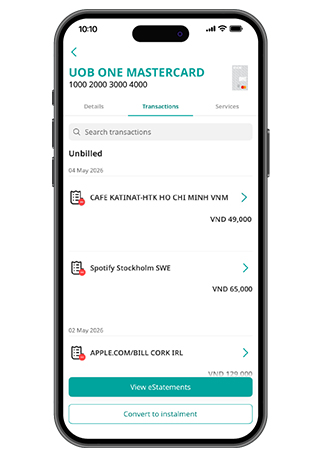
Select "Transaction" tab, then choose the transaction for more details
Select "Transaction" tab, then choose the transaction for more details
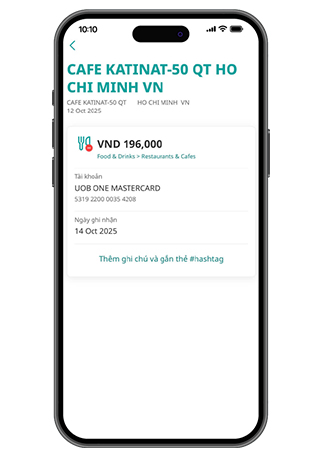
View the transaction details
View the transaction details
Did you notice an unfamiliar transaction?
|
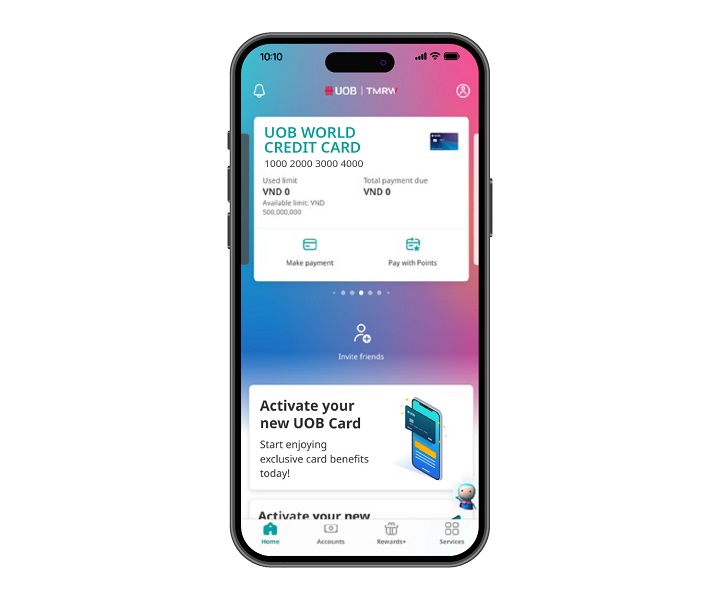
Step 1
Log in to UOB TMRW Vietnam and select the credit card or account linked to the debit card to temporarily lock.
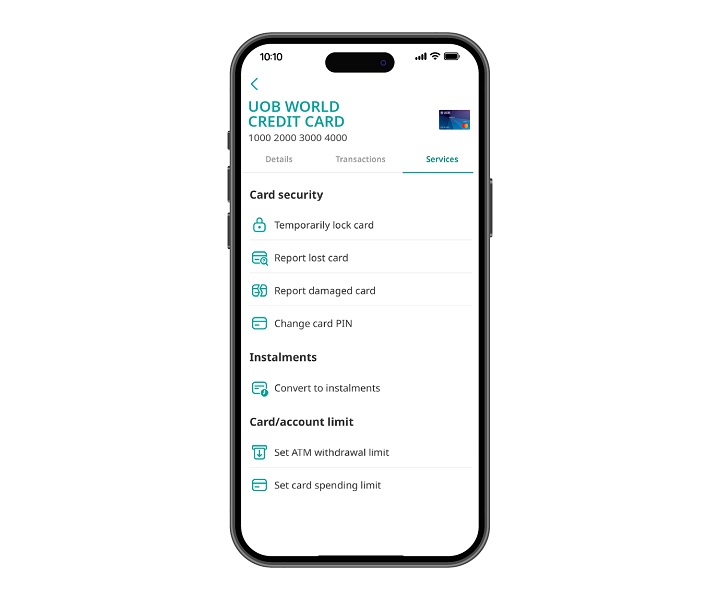
Step 2
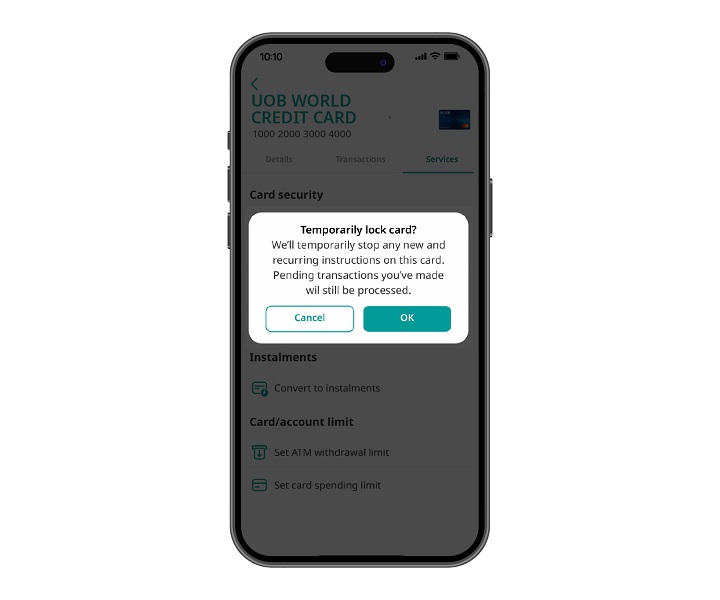
Go to “Services” tab and select “Temporarily lock card”.
Step 3
Tap on "OK" to confirm.
Step 4
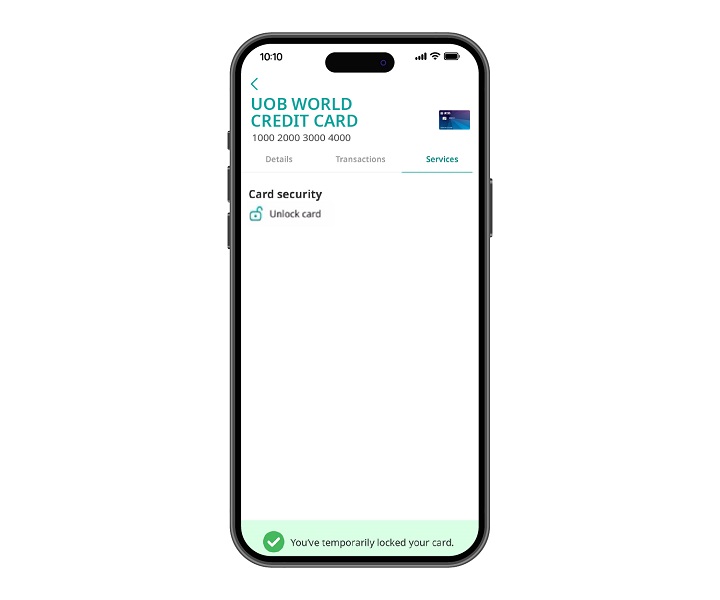
The unlock card icon appears. Other services will be hidden.


Step 1
Log in to UOB TMRW Vietnam and select the credit card or account linked to the debit card to temporarily lock.
Step 2
Go to “Services” tab and select “Temporarily lock card”.
Step 3
Tap on "OK" to confirm.
Step 4
The unlock card icon appears. Other services will be hidden.

As a reminder, we will never direct you to a website asking for your personal banking details, including OTP or PIN.
We use cookies in order to provide you with better services on our website. By continuing to browse the site, you agree to our privacy notice and cookie policy.