
-
you are in Personal Banking

General
UOB ExploreGeneralFor Individual
Privilege BankingFor Business
WHOLESALE BANKINGAbout UOB
UOB GroupUOB Vietnam






Login TMRW
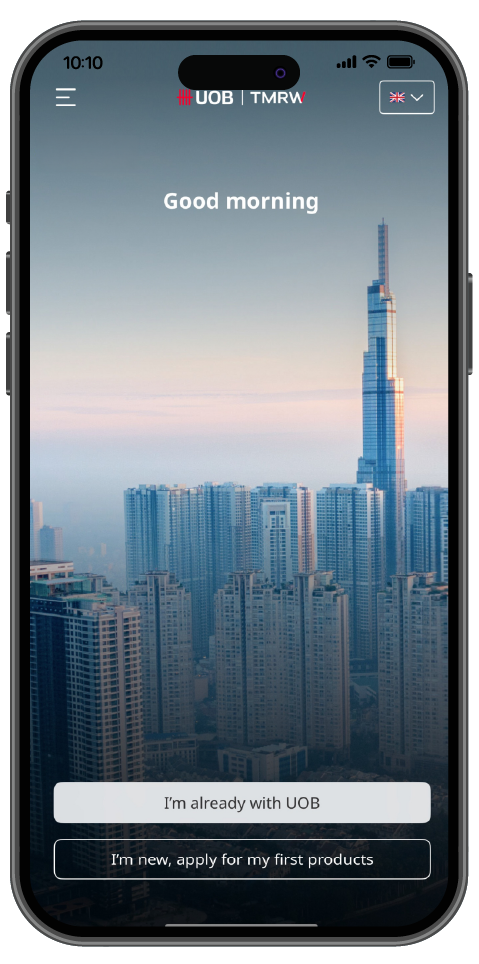
Step 1
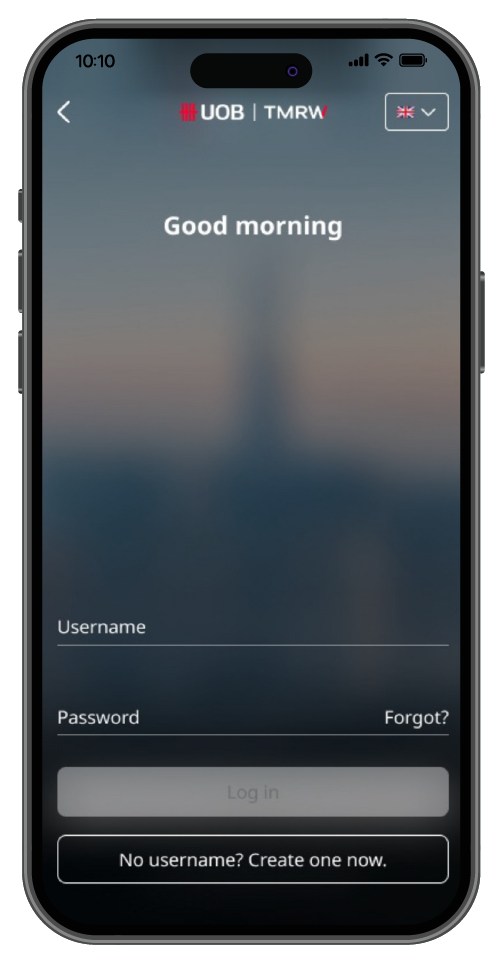
Tap on “I’m already with UOB”.
Enter SMS OTP that the bank sent to your registered mobile phone number.
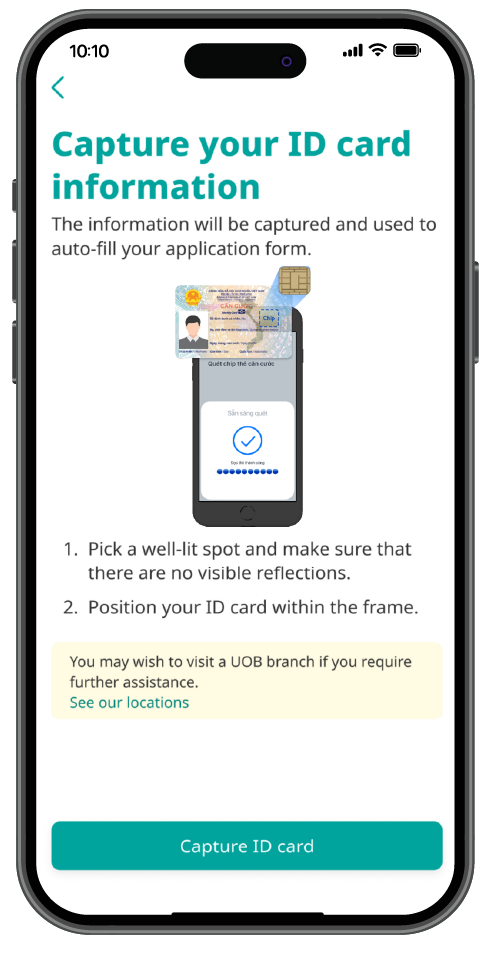
Step 2
Get your ID Card ready and hold it still within the frame and take a photo Scan ID Card
- Your device must support NFC
- Place the bottom half of your ID Card flast against the areaoff the front camera
- Hold your ID Card in place until the scan is complete
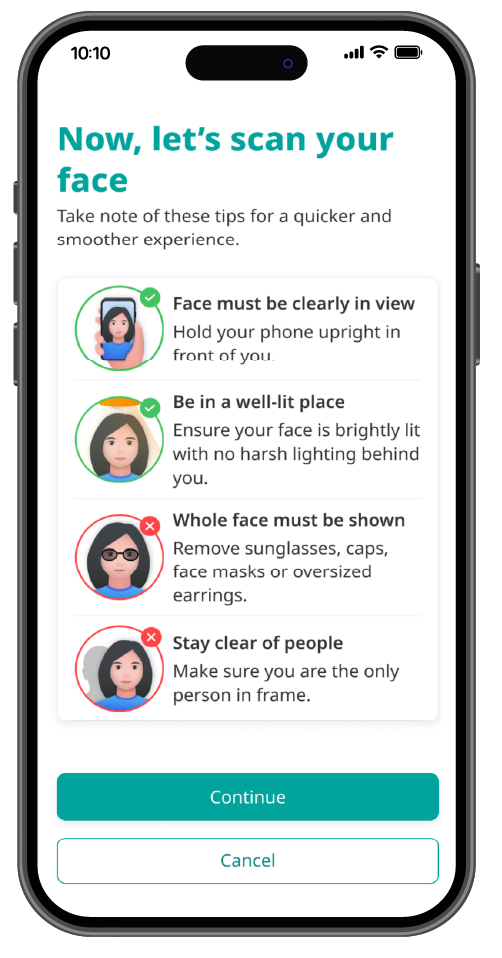
Step 3
Scan your face
- Look straight and try not to move or shake your device
- Turn your head to the right (not more than 45 degrees)
- Turn your head to the left (not more than 45 degrees)
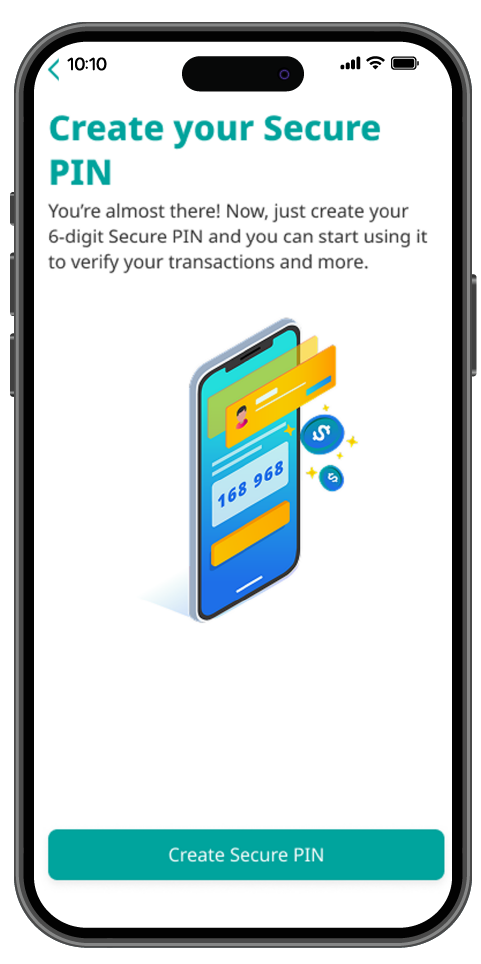
Step 4
Check and confirm information retrieved from ID Card
Create a 6-digit Secure PIN
Step 5
Re-log in to UOB TMRW Vietnam
You’re done!
For more details, check out the video below.
Step 1
Select “Forgot” to:
- Unlock username if it gets locked
- Retrieve username in case of password forgotten
- Reset password
Step 2
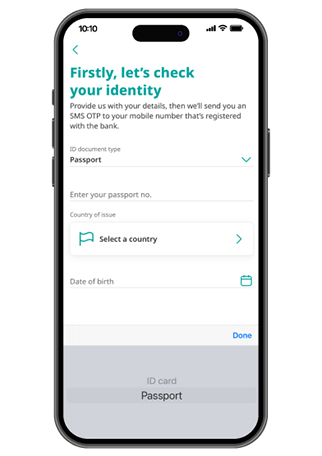
- Select your "ID document type“
- Fill in the information registered with the bank
Step 3
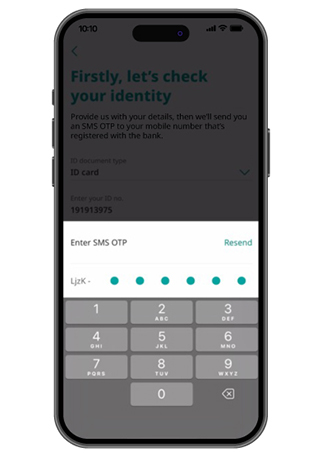
Enter the OTP sent via SMS
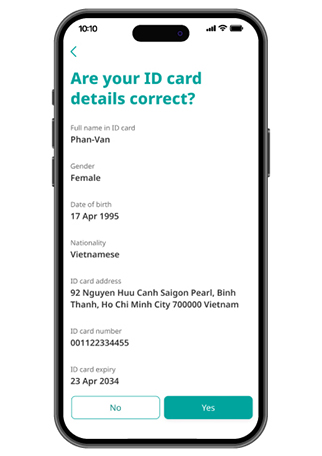
Step 4
Review and confirm your ID details, then tap on “Yes”
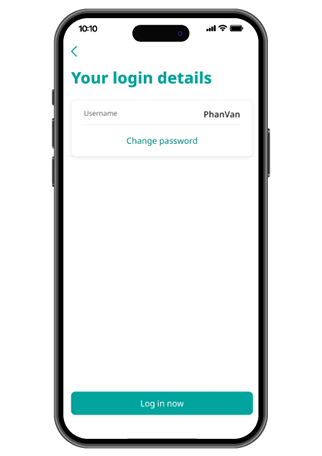
Step 5
Check your Username then tap on “Change password”
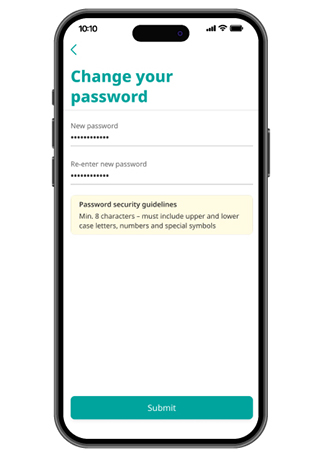
Step 6
Enter your new password and tap on “Submit”
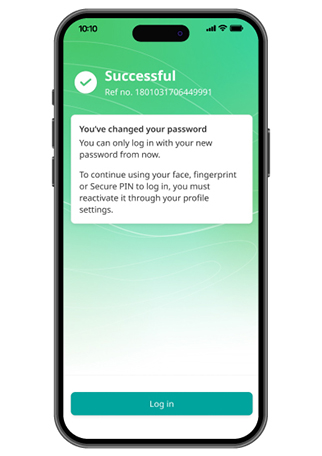
Step 7
Password has been successfully updated!
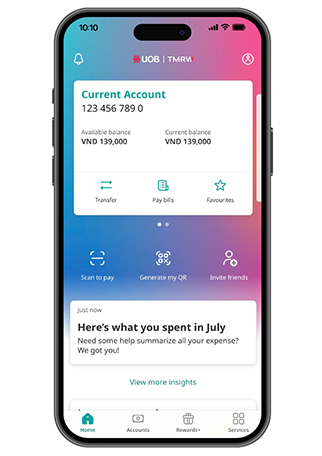
Step 1
Log in to UOB TMRW and tap on "Profile" at top right corner
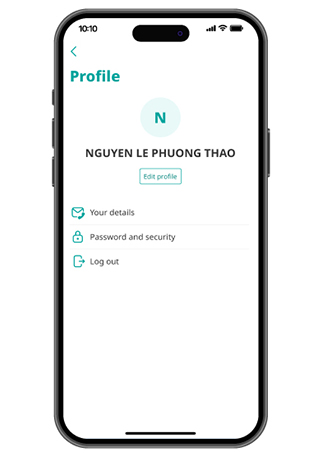
Step 2
Tap on “Password and security”
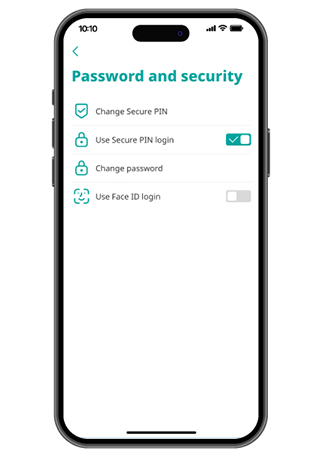
Step 3
Turn on/ turn off toggle button to enable/ disable the “Log in with Face ID or Fingerprint” feature
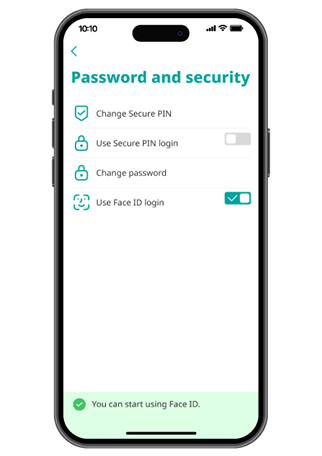
Step 4
Update successfully
Update Contact
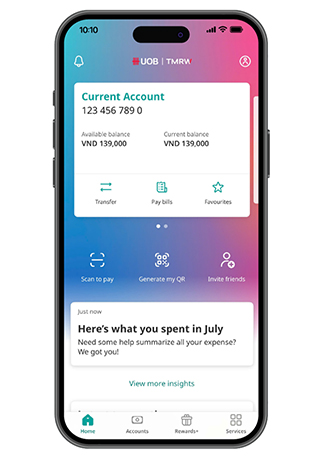
Step 1
Log in to UOB TMRW and tap on "Profile" at top right corner
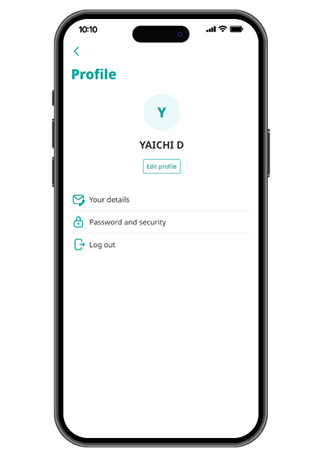
Step 2
Tap on “Your details” to see editabledetails
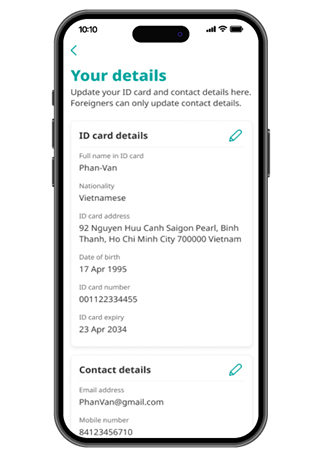
Step 3
Tap on Pencil icon
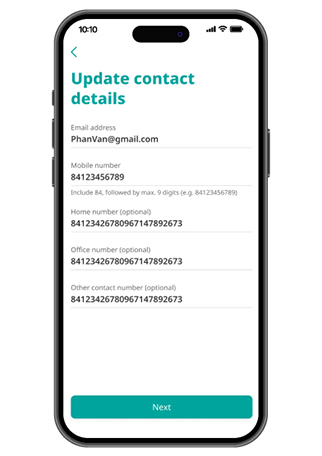
Step 4
Review and confirm ID Card/ Contact details
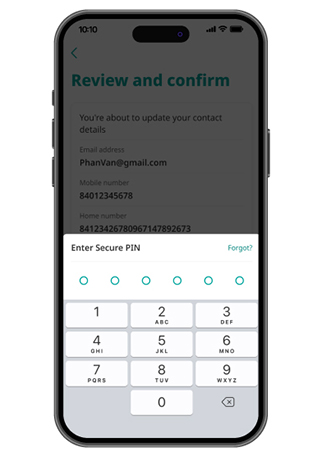
Step 5
Enter Secure PIN
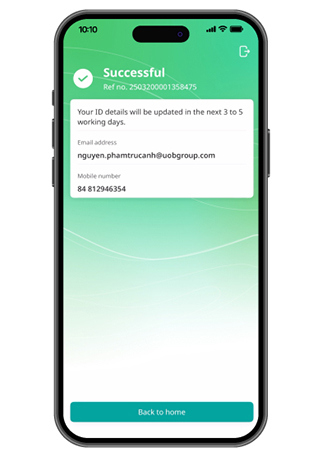
Step 6
Update personal details successfully
Payment & Transfer Service
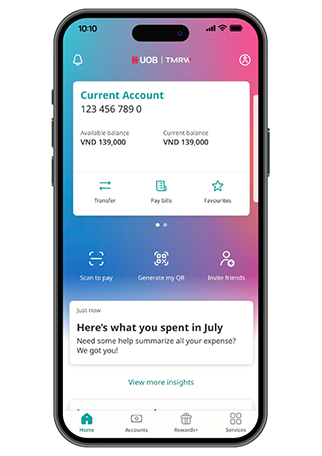
Step 1
Log in to UOB TMRW Vietnam and tap on "Transfer"
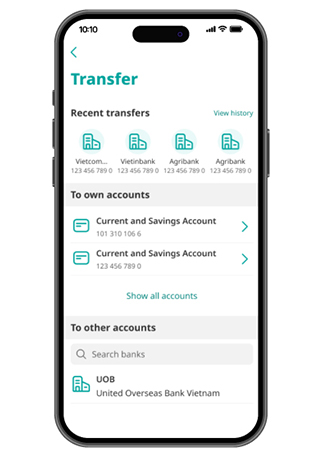
Step 2
Select your own UOB account you want to transfer to
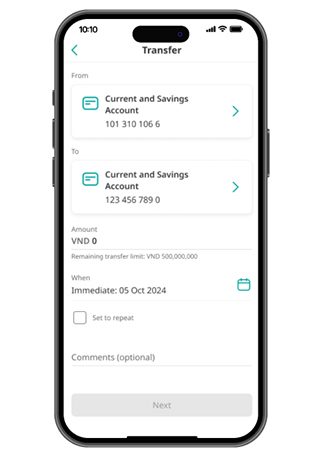
Step 3
Enter the amount and the date of transfer, then tap on "Next"
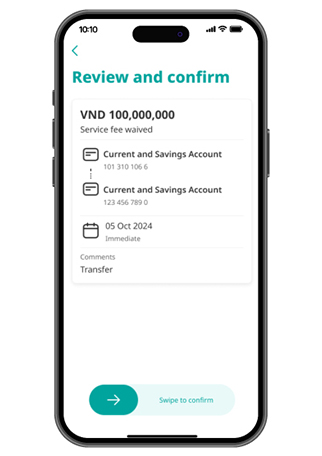
Step 4
Review the details and swipe to confirm your transaction
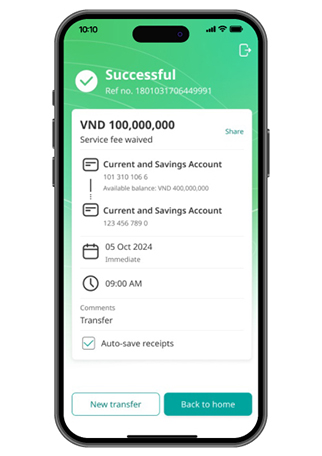
Step 5
Transfer successfully
For more details, check out the video here.
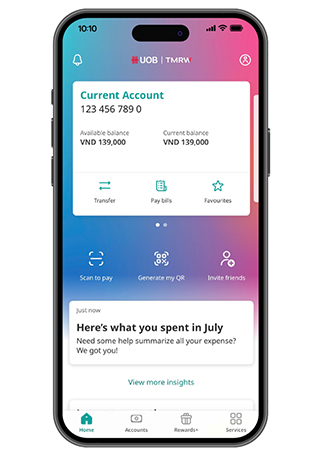
Step 1
Log in to UOB TMRW and tap on "Transfer"
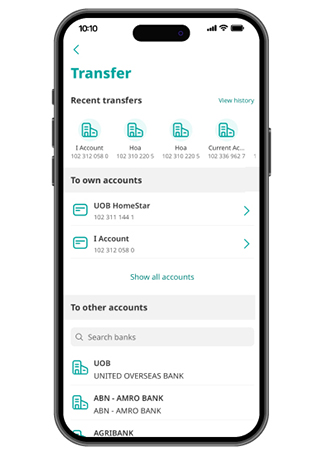
Step 2
Select the bank name of the account you want to transfer to
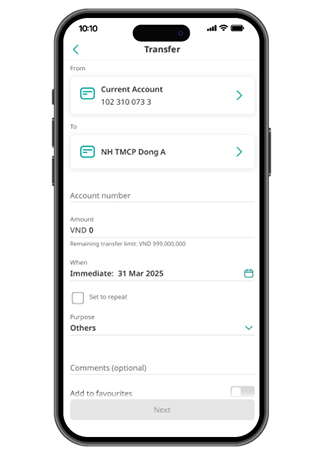
Step 3
Enter the account number, the amount and the date of transfer
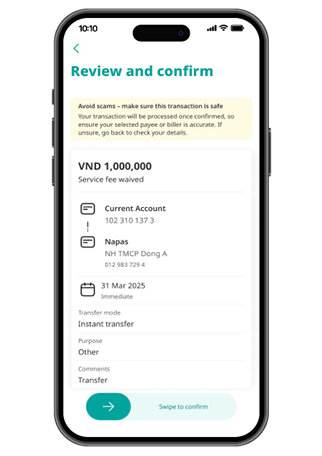
Step 4
Review the details and swipe to confirm your transaction
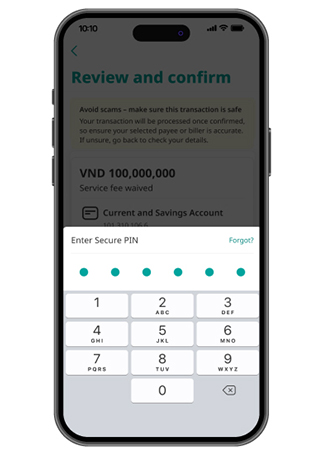
Step 5
Enter Secure PIN
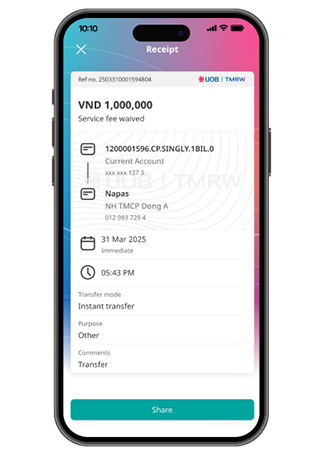
Step 6
Transfer successfully
For more details, check out the video here.
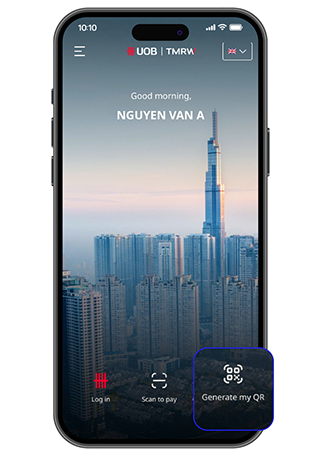
Step 1a
Select "Scan to pay" from Pre-login screen
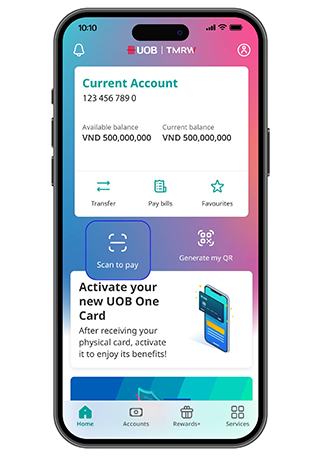
Step 1b
Select "Scan to pay" from Home screen
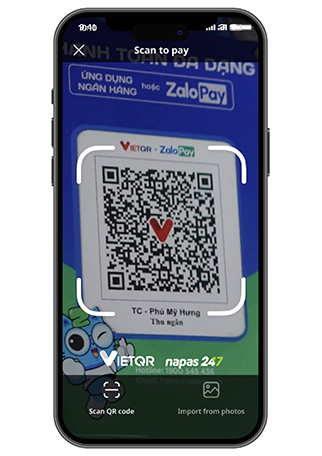
Step 2
Scan QR code or Select QR in your library
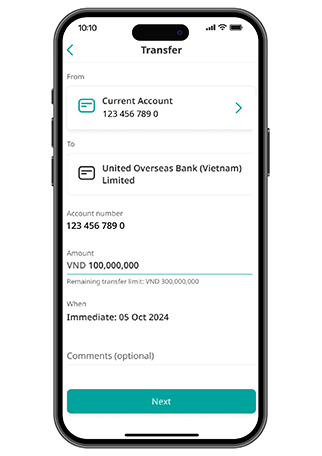
Step 3
Input amount & comment (optional) then select "Next"
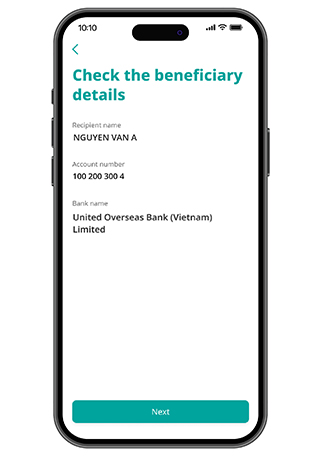
Step 4
Check beneficiary details
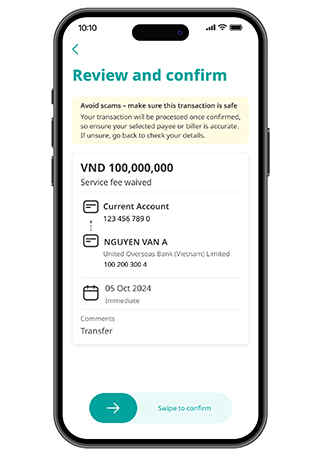
Step 5
Review and swipe to confirm
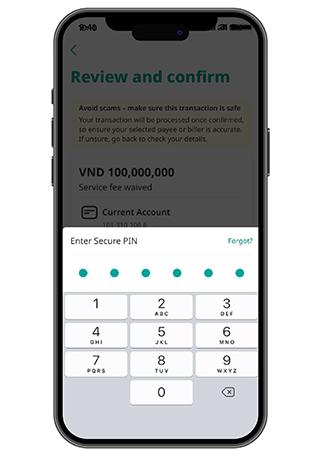
Step 6
Authorize by secure PIN
Step 7
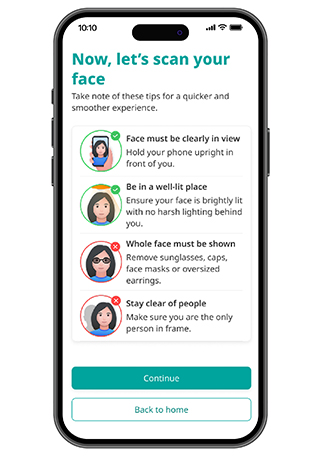
Authorize by Scan face (if required)
Step 8
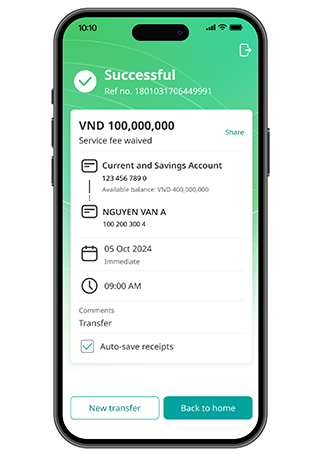
Transfer successfully
Step 1
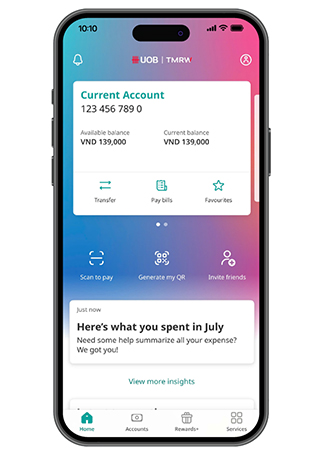
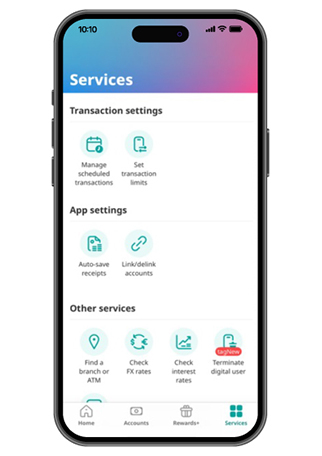
Log in to UOB TMRW Vietnam and tap on "Services" at the bottom right corner
Step 2
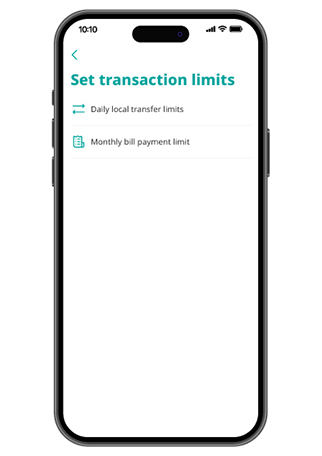
Tap on "Set transaction limits"
Step 3
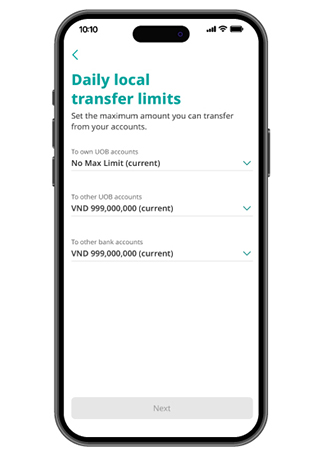
Select "Daily local transfer limits"
Step 4
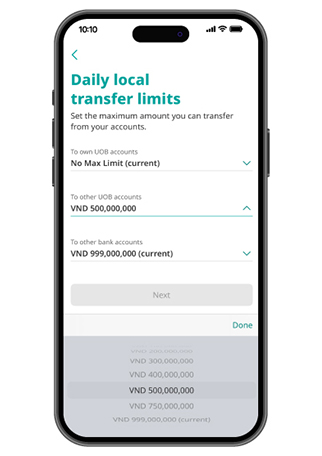
Select "To other UOB accounts" or "To other bank accounts" and open the dropdown field
Step 5
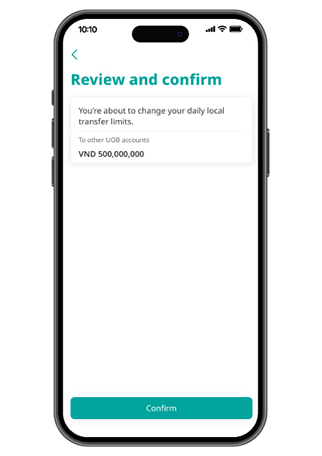
Pick a value to proceed
Step 6
Tap on "Confirm"
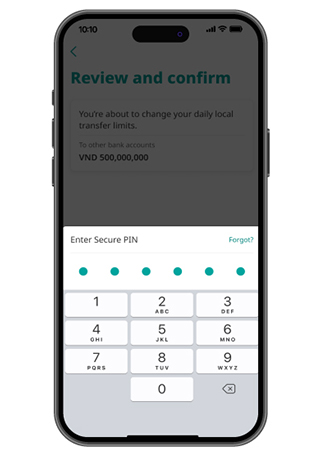
Step 7
Enter your Secure PIN
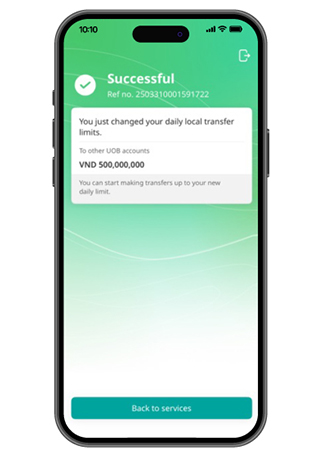
Step 8
Set daily transaction limits successfully
Card Services
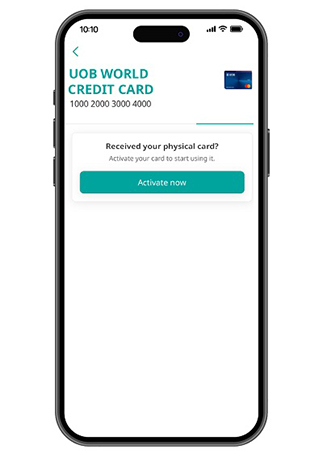
Step 1
Log in to UOB TMRW Vietnam, go to "Accounts" then "Services" to activate your card, or tap the “Activate Card” insight card displayed on the home screen.
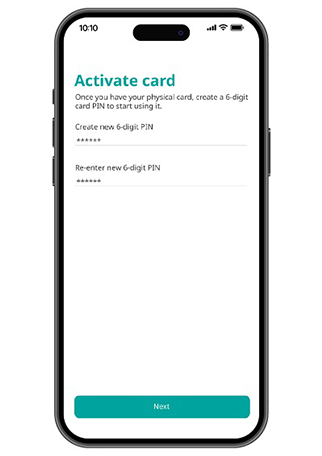
Step 2
Create new 6-digit PIN.
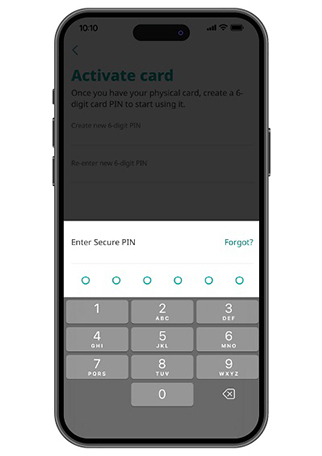
Step 3
Enter your Secure PIN for authentication.
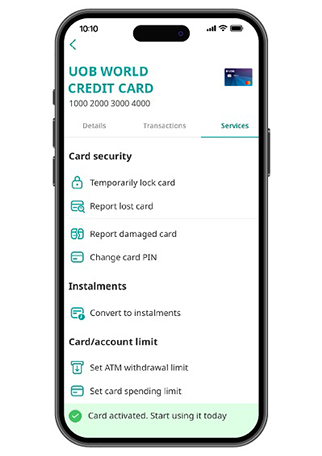
Step 4
Card is activated successfully.
1. Temporarily block card
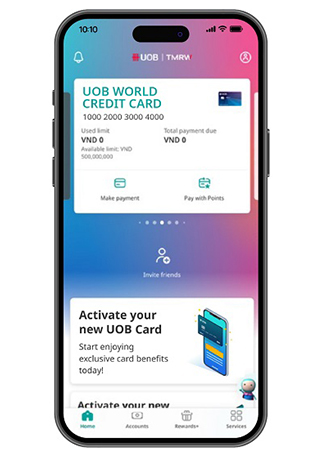
Step 1
Log in to UOB TMRW Vietnam and select the credit card or account linked to the debit card to temporarily lock.
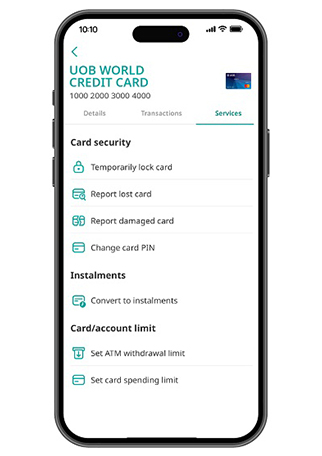
Step 2
Go to “Services” tab and select “Temporarily lock card”.
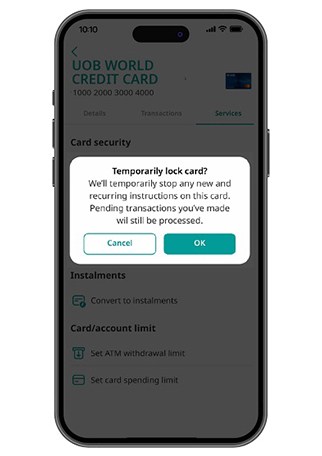
Step 3
Tap on "OK" to confirm.
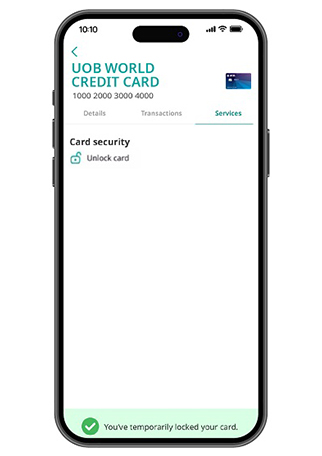
Step 4
The unlock card icon appears. Other services will be hidden.
2. Unlock card
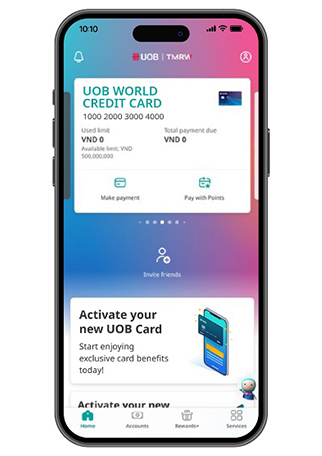
Step 1
Log in to UOB TMRW Vietnam and select the credit card or account linked to the debit card to unlock.
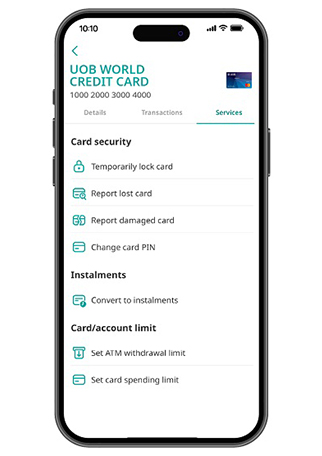
Step 2
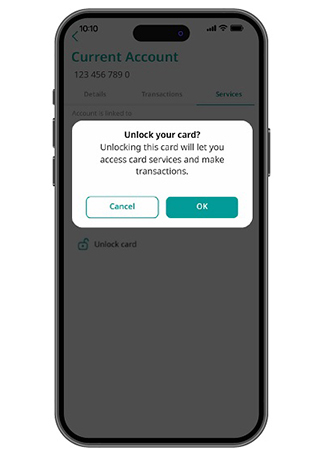
To unlock, select the card to unlock and go to “Services” then tap on “Unlock card”.
Step 3
Tap on "OK" to confirm.
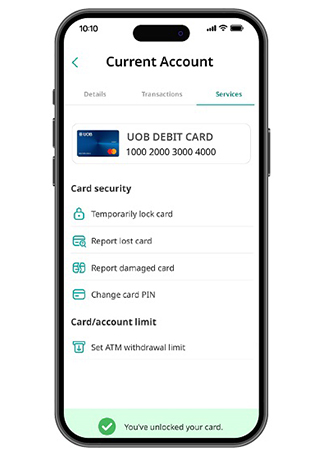
Step 4
Unlock card successfully.
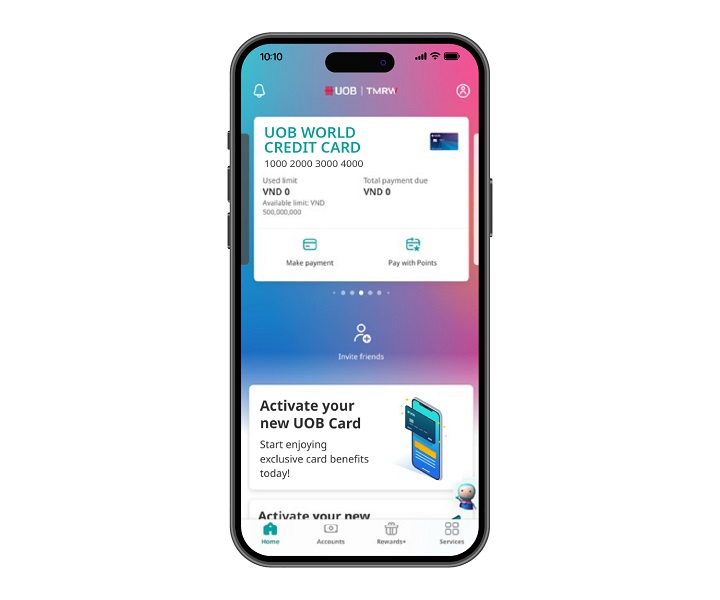
Step 1
Log in to UOB TMRW VIetnam and select the credit card or account linked to the debit card to change card PIN
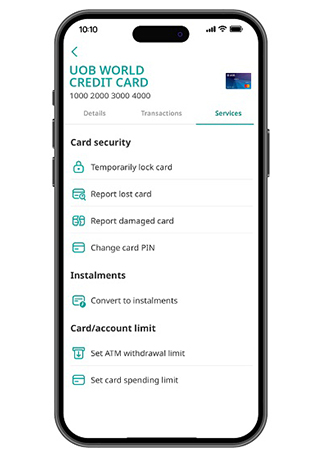
Step 2
Go to “Services” tab and select “Change card PIN”
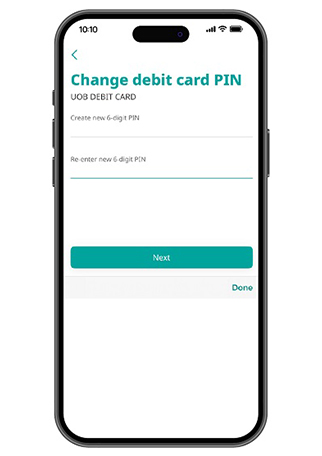
Step 3
Create and re-enter your card PIN. Tap on "Next"
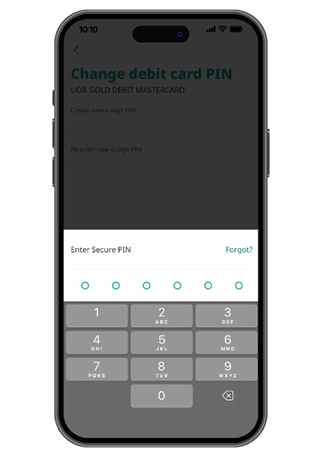
Step 4
Enter your Secure PIN for authentication
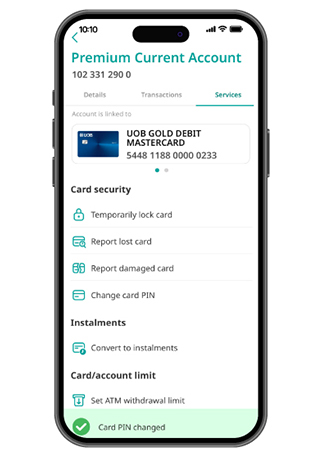
Step 5
Change card PIN successfully
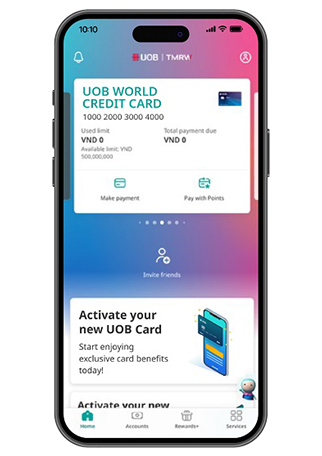
Step 1
Log in to UOB TMRW Vietnam and select the credit card or account linked to the debit card to change card spending limits.
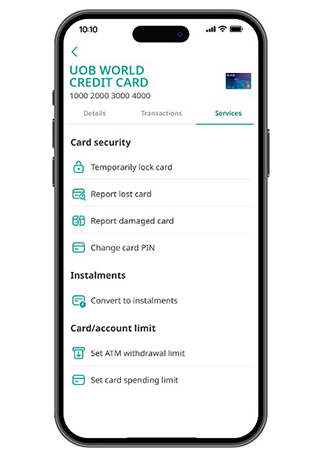
Step 2
Go to “Services” tab and select “Set card spending limit”
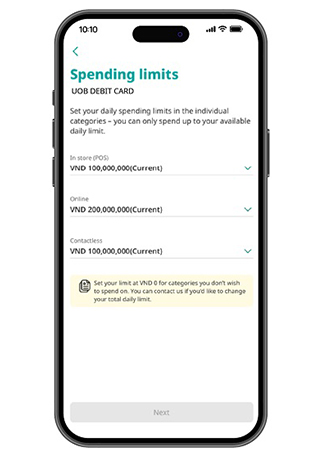
Step 3
Adjust spending limits by category: In-store (POS), Online, and Contactless
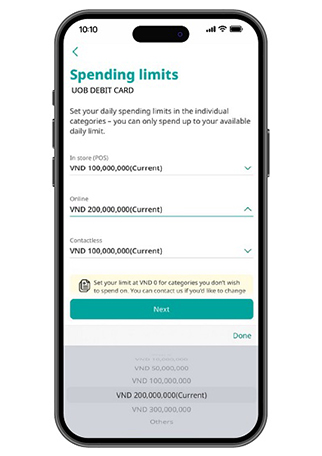
Step 4
Select the transaction limit amount from the dropdown or input your value by select "Other"
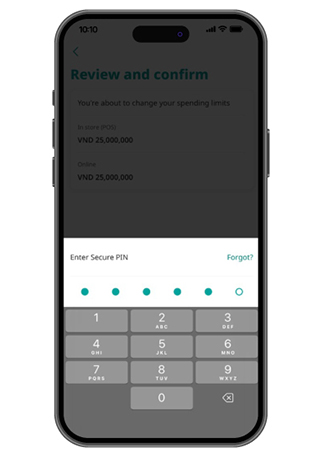
Step 5
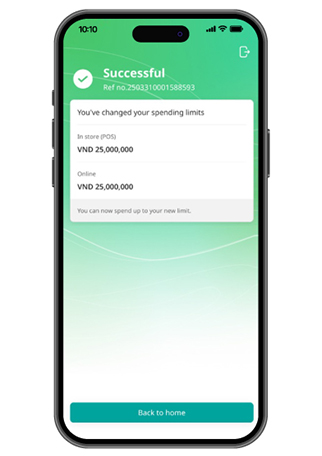
Enter your security PIN (only required if the updated spending limit is higher than the original)
Step 6
New limit updated successfully
Step 1
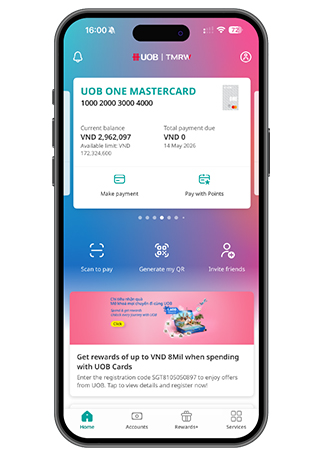
Log in UOB TMRW Vietnam and top on "Account"
Step 2
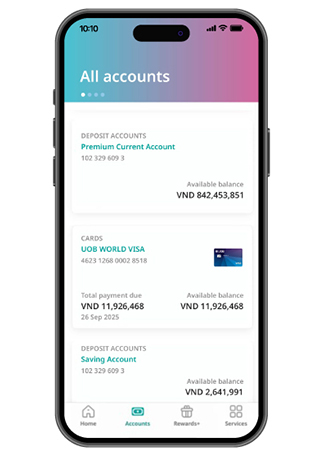
Choose your Account/ Card/ UOB CashPlus to view eStatement
Step 3
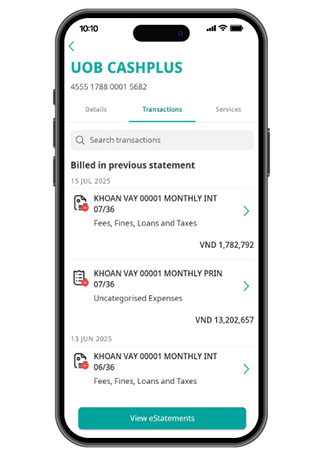
On the Transactions section, tap on "View eStatements"
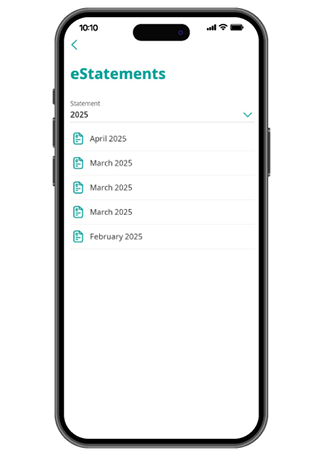
Step 4
Select the date range you would like to retrieve your eStatement
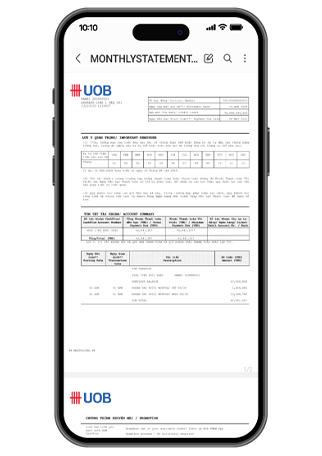
Step 5
You will be able to view your eStatement as a PDF document
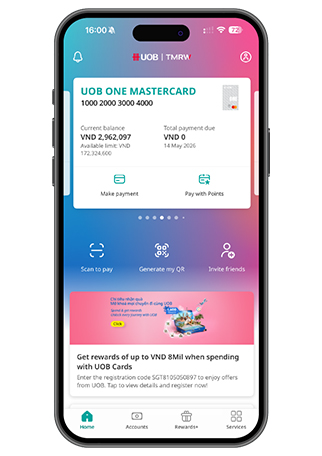
Step 1
Log in to UOB TMRW Vietnam, go to "Accounts"
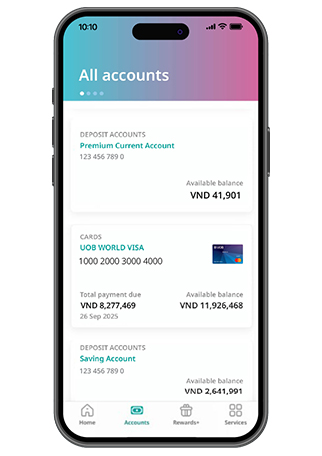
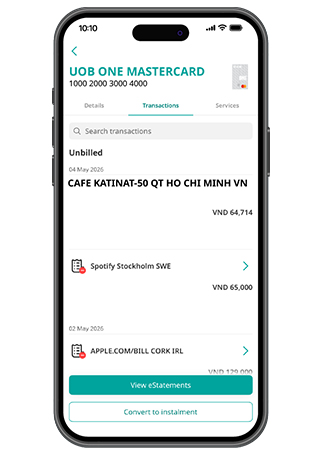
Step 2
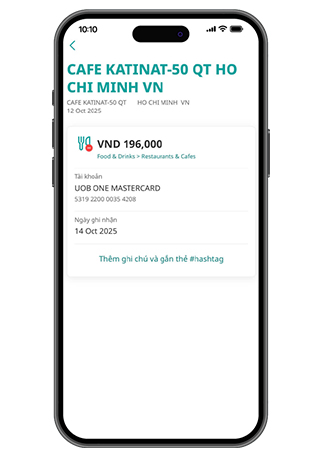
Tap on your preferred Credit Card and tap on “Transactions” to view all your transaction history
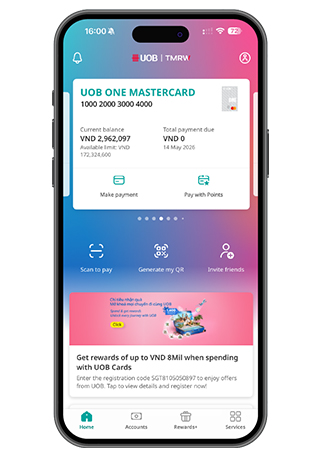
Step 3
You can see your status of payment
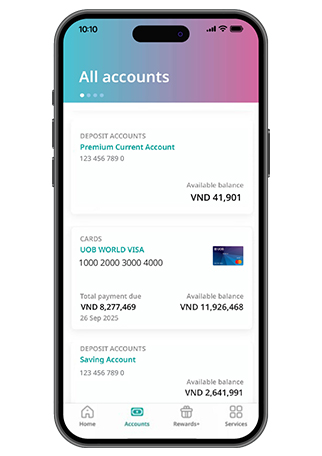
Step 1
Log in to UOB TMRW Vietnam and select the credit card or account linked to the debit card to temporarily lock
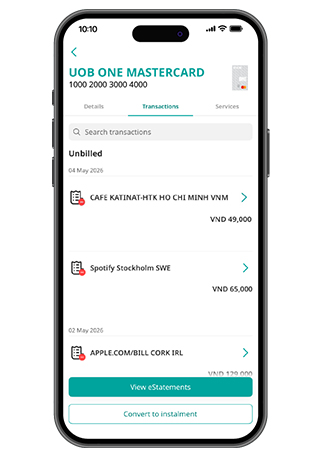
Step 2
Go to “Services” tab and select “Temporarily lock card”
Step 3
Tap on "OK" to confirm
Step 4
The unlock card icon appears. Other services will be hidden
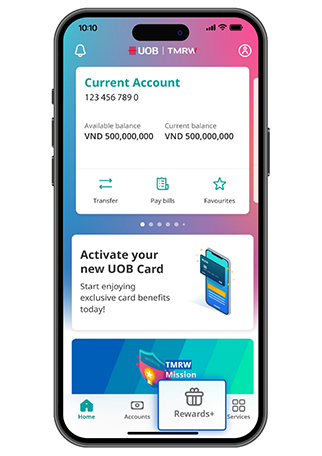
Step 1
Log in and tap on “Rewards+”
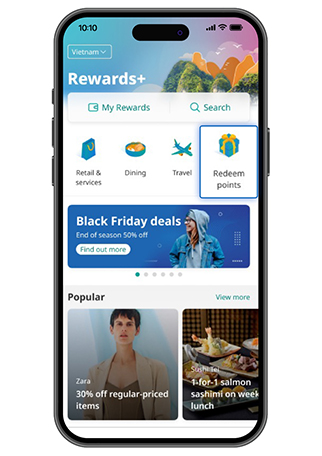
Step 2
Tap on “Redeem points”
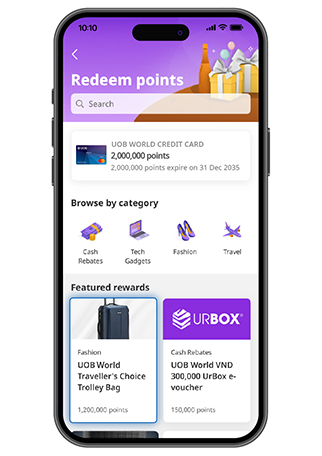
Step 3
Check your Points & Select item to redeem
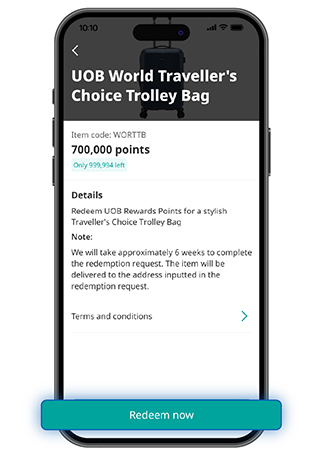
Step 4
Tap on “Redeem now”
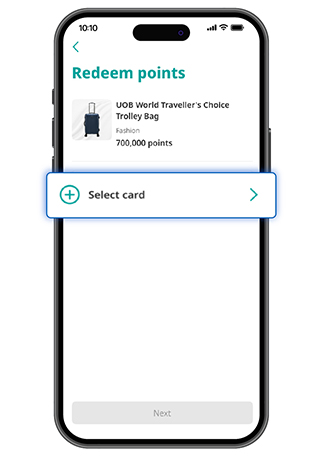
Step 5
Select the Credit Card with the point you want to redeem
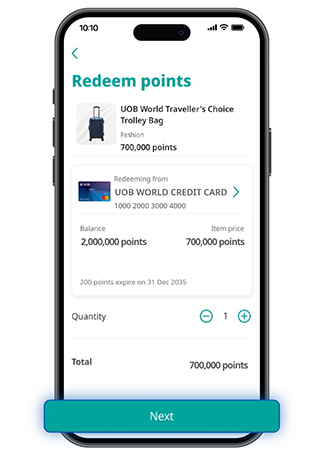
Step 6
Indicate quantity of item to redeem
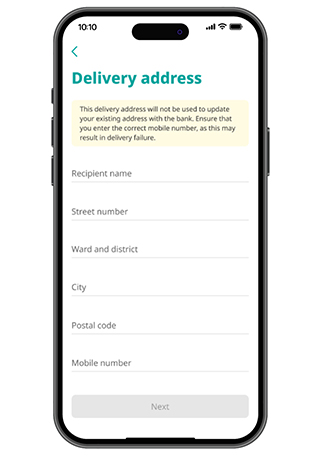
Step 7
Enter your delivery address (Vietnamese without diacritics for merchandises redemption)
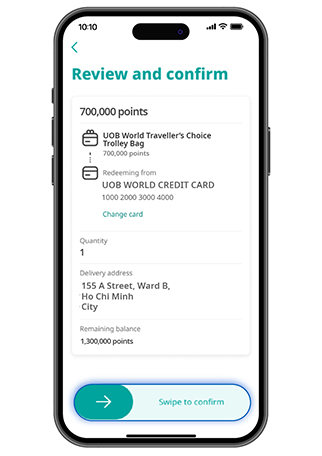
Step 8
Review and swipe to confirm points redemption
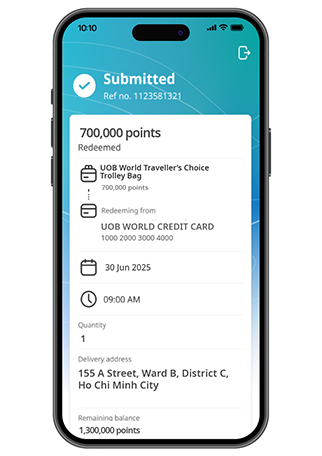
Step 9
Points redemption successfully
For more details, check out the video here.
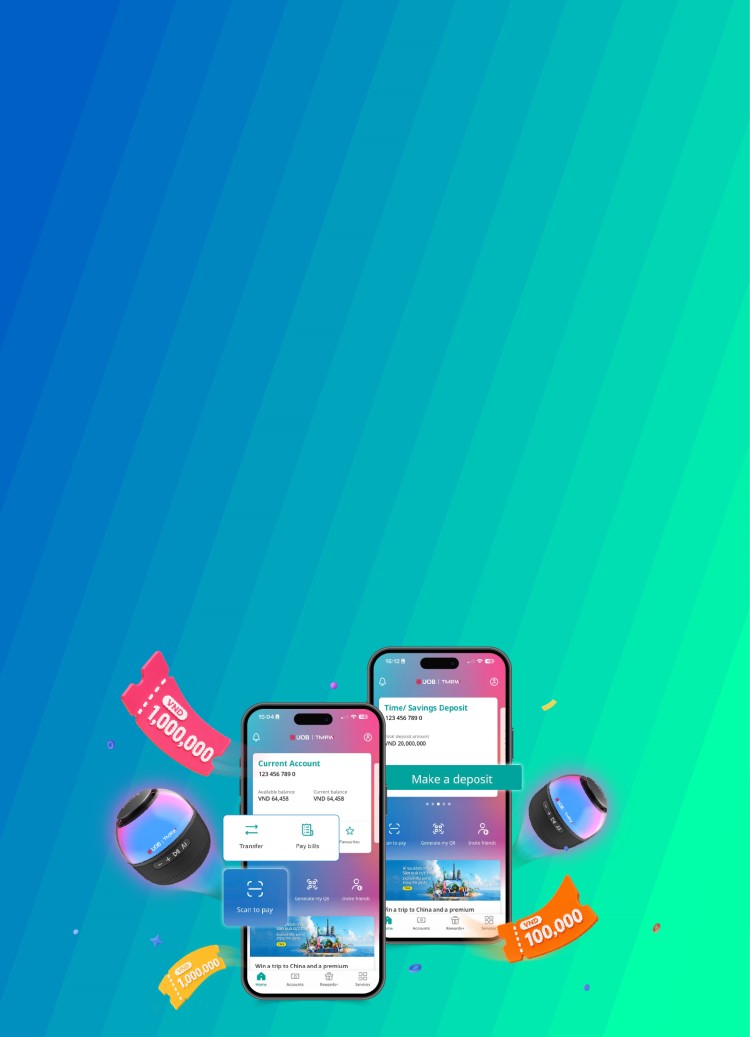
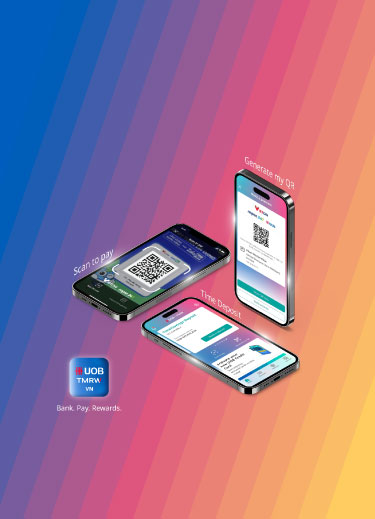
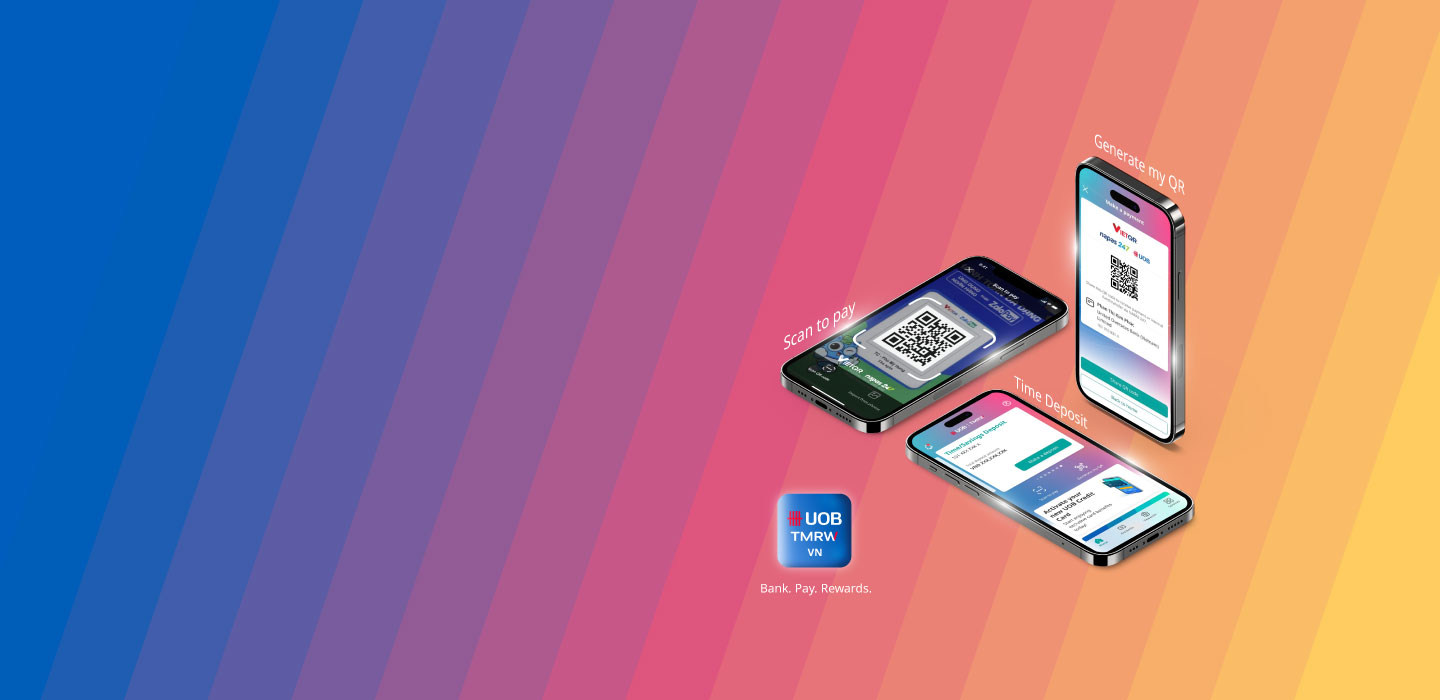
Meet UOB TMRW Vietnam, the digital banking app that helps you take charge of today.
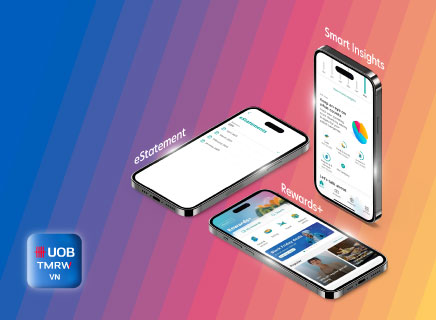
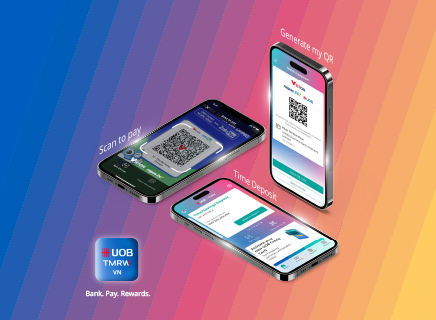
UOB TMRW Vietnam – A new banking app for seamless everyday banking on-the-go. Make instant and secure payments and transfers anytime, anywhere, access eStatement, view and redeem rewards, track your spending and saving patterns with Smart Insights, curated just for you.
Experience UOB TMRW Vietnam now and embark on a journey to smarter and effortless banking.
Highlight Features
Smart Insights
Bank smarter with alerts, reminders, and spending and saving recommendations just for you


Take charge with UOB TMRW,
download now.



As a reminder, we will never direct you to a website asking for your personal banking details, including OTP or PIN.
We use cookies in order to provide you with better services on our website. By continuing to browse the site, you agree to our privacy notice and cookie policy.